Show the neighborhood, not just the house
TourTheBlock is a live, shared walk through any street in Google Street View. You and your clients see the same view at the same time, each on your own screen, talking the whole way — like driving the neighborhood together, without anyone getting in a car.
It's not a 3D home tour and it's not screen-sharing on a video call. Everyone is present: your clients look around on their own, point at what catches their eye, and follow you down the block. It covers the one thing listing photos and interior walkthroughs can't — what it feels like to live on that street.
Try a practice showingSee agent and firm plans or sign in. Your clients join with a link — no account or download needed.
How a showing works
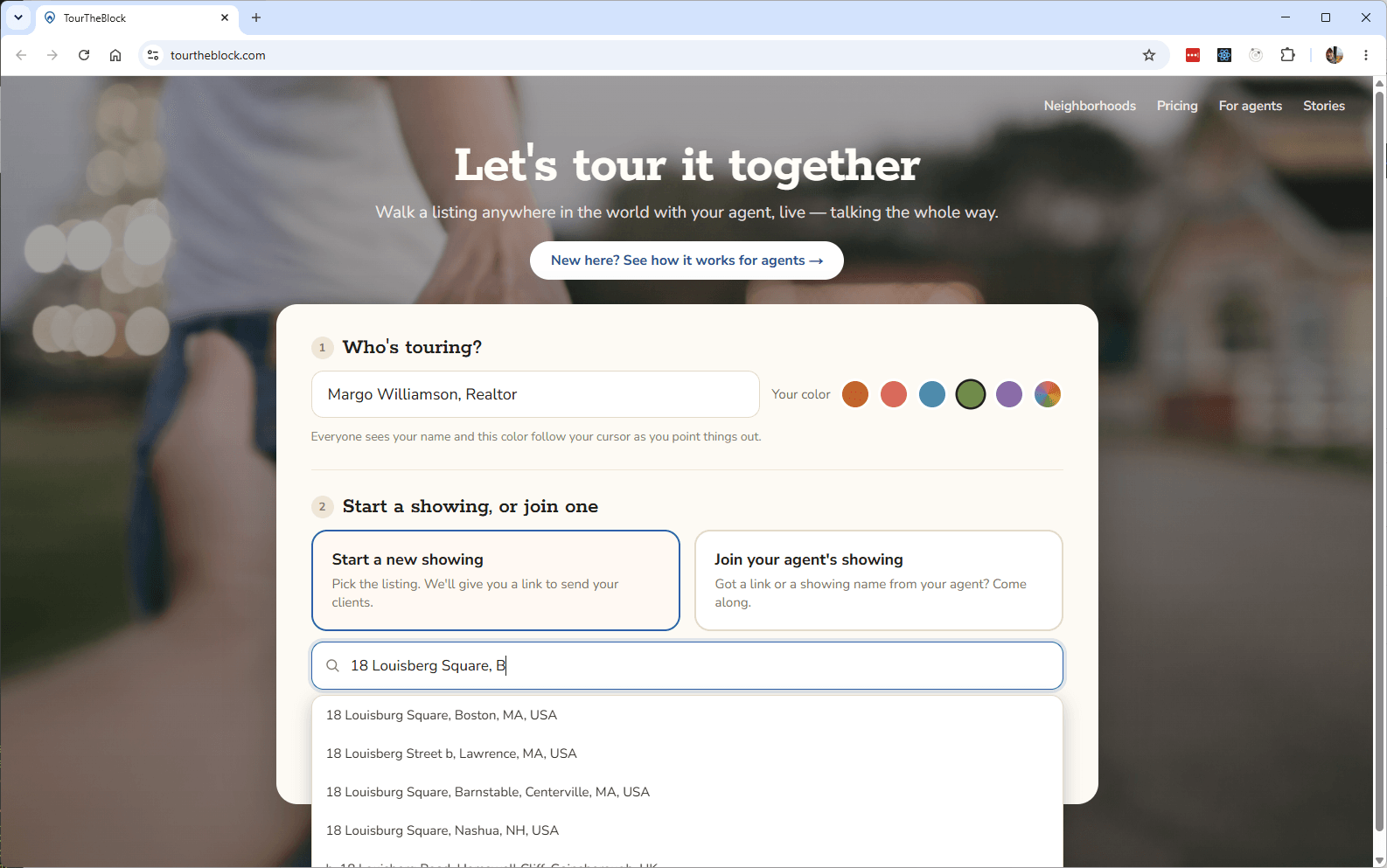
- Search the listing address. Your showing starts right on its street.
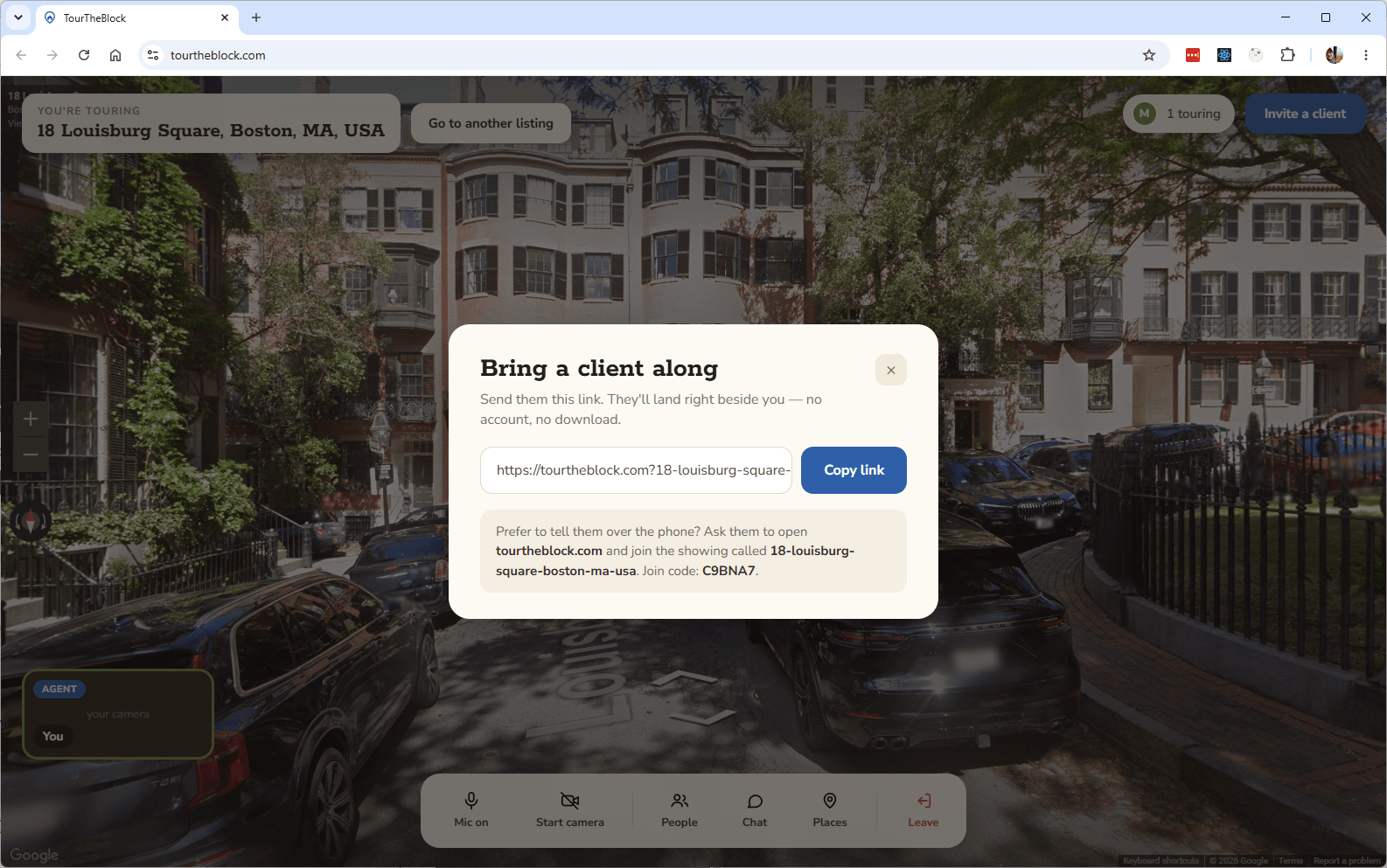
- Send your clients the link. Every showing has a join code, so only people you invite can enter.
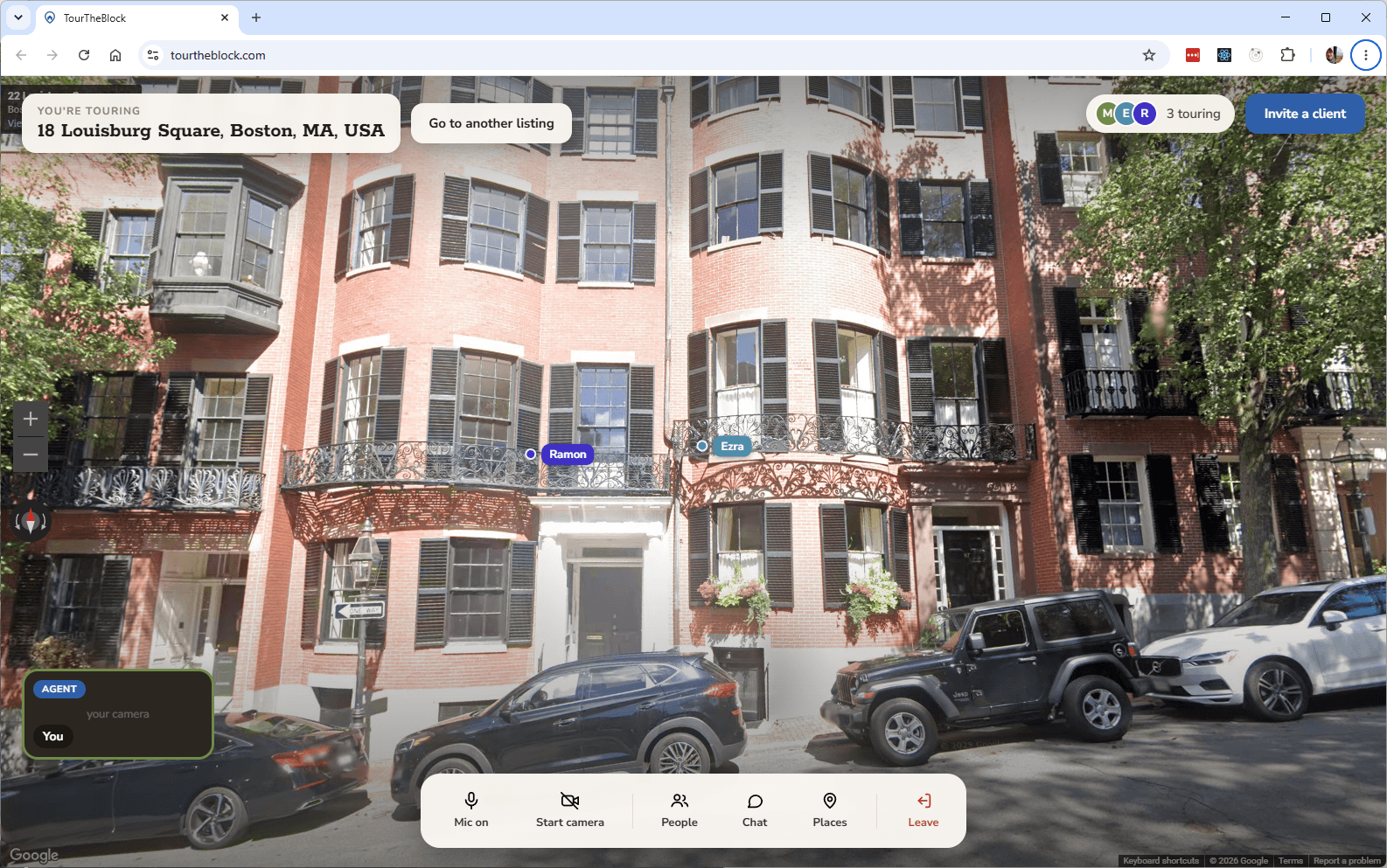
- They open it on any device. No account, no app — they land beside you in the same view.
- You walk, everyone comes along. Guests can look around freely, but only you move the group down the street.
- Everyone can point. Each guest has a named, colored cursor — “is that a bus stop?” — and you all look at the same thing while you answer.
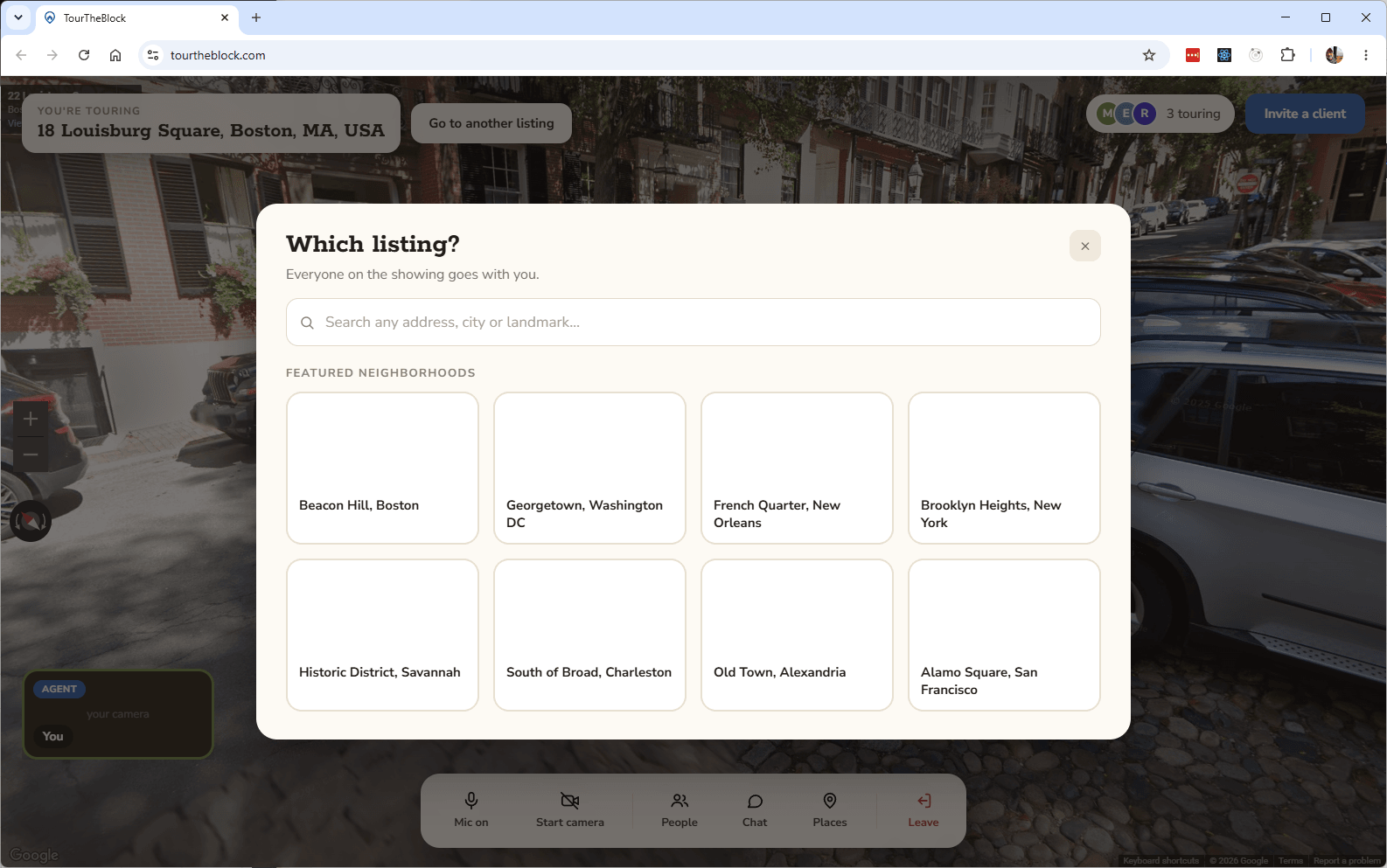
- Jump between listings without losing anyone. Search a new address mid-showing and the whole group lands right there with you — no one gets left on the last block.
When agents reach for it
- Relocation and out-of-state buyersWalk the neighborhood together on a weeknight, months before they can fly in. See it in action on a Beacon Hill tour, or read the full routine for remote buyers.
- Couples in different citiesBoth partners join the same showing from wherever they are and finally look at the same block at the same time — like this Brooklyn Heights walk.
- Shortlisting before the drive-aroundWalk five candidate streets in one call and cut the Saturday tour to the two worth visiting. Try it on Georgetown's side streets.
- Selling the street with the listingWhen the neighborhood is the amenity — tree canopy, cafés, the walk to the park — show it live, the way a buyer would live it. Savannah's Historic District makes the case in one block.
You stay in control
Every showing has exactly one agent driving. Guests explore with their eyes, not their feet: they can look in any direction, but the group only moves when you do — pick your next stop and everyone comes with you. The join code you send is the only way in — no lookie-loos, no other agents dropping by.
Nothing is recorded. On purpose.
There is no recording, no replay, and no transcript — not as a feature we haven't built yet, but as a decision. With four or fewer people on a showing, the video and audio travel directly between browsers and never touch our servers at all. Above that we relay the streams so the call keeps working, and the relay forwards them in real time without storing anything. When the last person leaves, the showing is gone.
TourTheBlock does not create a recording or transcript of your conversation. Account details, prepared showings, and usage records are stored separately so you can manage your workspace and hosting access.
HomeRover stores showing video and photos in the cloud for later sharing. TourTheBlock keeps the conversation live: there is no saved showing to replay or share afterward.
Agents use accounts to manage access and prepared showings. Guests join with an invitation and code, without signing up. We retain account, billing, and showing usage records, but do not record the conversation. Read the full privacy policy — it is short, which is the point.
Working with out-of-state buyers
Most of what makes an out-of-state buyer hard is scheduling. They can fly in once, maybe twice, and every hour of that trip spent on a street they would have ruled out immediately is an hour you do not get back. The relocation clients who are easiest to serve are the ones who arrive with a shortlist they helped build.
A live neighborhood walk is how you build it without a plane ticket. Half an hour on a weeknight, four or five candidate streets, you driving and them pointing — and the Saturday itinerary comes out of it with two addresses on it instead of nine. It also does something a listing feed can't: a buyer relocating across the country gets to hear you read a street out loud, which is the fastest way for them to decide whether they trust your judgment about the ones they can't see.
The full routine — what to walk, in what order, and what the imagery can and can't tell you — is in the guide: how to walk the block with your agent, live on Street View.
What it is — and what it isn't
TourTheBlock shows what Google's cameras captured: streets, blocks, and neighborhoods. It doesn't go inside the listing — your interior story still belongs to photos, video walkthroughs, or a 3D tour. Think of it as the missing half: they show the house, you show the life around it.
HomeRover requires its app for everyone joining a showing, downloaded from the Apple App Store or Google Play. TripGeo's Street View Animator offers shared viewing of pre-built routes and requires Google sign-in to create a journey. With TourTheBlock, your buyers open a browser without an account or install. You sign in to host and drive the walk live and can change streets or jump to another listing as questions come up.
Street View imagery carries its capture date, and we show it in the viewer. It's the feel of the street — the architecture, the tree cover, the walk to the corner store — not a live feed of this week's paint colors.
Common questions
- What do my clients need?
- A link. It works in the browser on phones, tablets, and computers — no account and nothing to install.
- How many people can join a showing?
- There is no fixed guest cap. We recommend 3 guests plus the agent (4 people total) for a small-group showing. Larger groups can join, but call quality depends on everyone's device and connection. The recommendation is not a maximum.
- Is a showing private?
- Each showing has an invitation and join code. Keep both private. Guests wait until you start the session. You can reuse a prepared showing for a later session while you have hosting access.
- Is anything recorded?
- No — and that is deliberate, not a gap. Video and audio are never recorded or stored, small showings never route through our servers at all, and there is no transcript or replay to hand over later. See our privacy policy.
- Can clients wander off mid-showing?
- They can look around freely — that's the point — but only you move the group. Pick your next stop (or the next listing) and everyone lands right there with you, no separate “recall” to fumble for.
- How current is the imagery?
- It's Google Street View, so it depends on when their cars last drove the block — the capture date is shown in the viewer. Great for the character of a street; not a substitute for a final in-person visit.
- What does it cost?
- We're in early access — see pricing and we'll walk your brokerage through it.
Try it before your next buyer call
Start a showing alone, walk one block, and you'll know exactly where it fits in your process. It takes about a minute.
Start a practice showingHave a question first, or want to talk about your brokerage? Email phil@tourtheblock.com.